Quick Tips
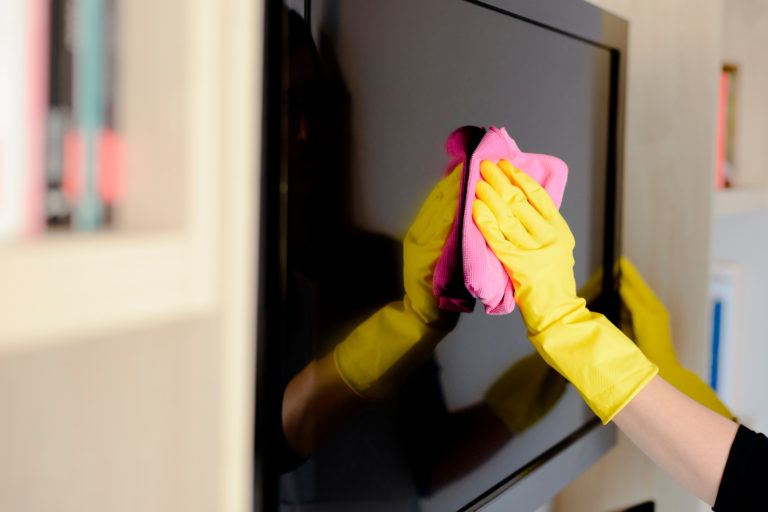
- Start by using a soft dry cloth to wipe dust from the whole TV, including the screen.
- If necessary, mix a solution that is half water and half rubbing alcohol from your bathroom cabinet.
- Next, dip a corner of your cotton cloth in the alcohol-and-water solution to dampen it.
- f there is any dirt or dust still hiding along the edges of the TV screen, use a Q-tip to capture it.
- Before finishing up, use your slightly damp cotton cloth to gently wipe the entire screen one last time.
- Finally, use another soft, dry cloth to give the TV screen a quick once-over.
A flat-screen TV is a large investment that is practically a necessity for anyone in America who likes to watch TV and/or play video games (there are quite a few of us, I hear), and if you have one you know the terror inspired by the mere thought of damaging it. If you’re like me, you may be tempted to leave your TV absolutely untouched in its place on the shelf or the wall so that, barring an earthquake or tornado or direct lightning strike, there can be no accidents involving the TV.
Unfortunately, your flat-screen TV will occasionally need to be cleaned. At the very least, you’ll have to remove a layer of dust now and then, and if it does get touched, there will also be fingerprints to contend with. For these instances, it’s important to know how to clean a flat-screen TV safely, since there are few things more humbling than damaging something while trying to properly maintain it. To avoid this, you can buy a specially formulated LCD cleaner (since most flat TV screens are of the LCD variety), or you can use household rubbing alcohol and water—the active ingredients in many commercial LCD cleaners.
Steps to Cleaning a Flat-Screen TV
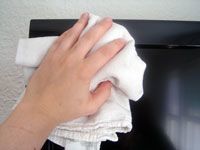 Start by using a soft dry cloth to wipe dust from the whole TV, including the screen. If there are no smudges anywhere on the TV and the dust comes off completely, without clinging to the screen like it did when I dusted mine, you should stop after this step. The steps that follow are safe, but should still only be taken when necessary, because the less you expose your TV to a chemical solution, no matter how mild, the better.
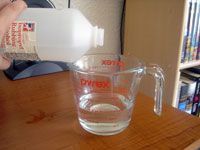 If necessary, mix a solution that is half water and half rubbing alcohol from your bathroom cabinet. Use a measuring cup for this step, because the proportions are important; a solution with more than 50% rubbing alcohol will be too harsh and could damage the LCD display. A dilute solution has more than enough power to dissolve grease and grime left by wayward fingers.
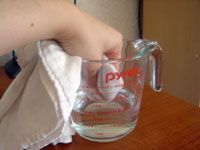 Next, dip a corner of your cotton cloth in the alcohol-and-water solution to dampen it. Squeeze out any excess liquid from the cloth before touching the TV with it. A barely damp cloth will get the job done just fine, while a cloth that’s too wet may drip into vital electronic parts. Once the cloth is ready, wipe it gently over the entire TV, concentrating on smudges but never pushing too hard on the screen. The rubbing alcohol will do its work without physical pressure from you, which could actually damage the screen.
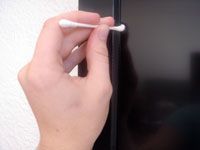 f there is any dirt or dust still hiding along the edges of the TV screen, use a Q-tip to capture it. Dip one end of the Q-tip in your mixture of isopropyl alcohol and water, then press it against the inside of the container holding the cleaning solution to squeeze excess moisture out of the cottony tip. Drag the damp end of the Q-tip along the outside edge of the screen, again without putting much pressure on it.
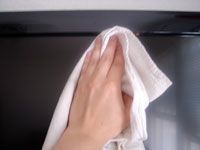 Before finishing up, use your slightly damp cotton cloth to gently wipe the entire screen one last time. If your Q-tip pushed any dirt toward the center of the screen instead of picking it up and taking it away, this step will ensure that it doesn’t continue to just sit there, obstructing your view in tiny ways.
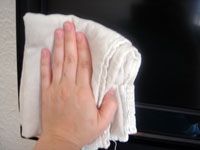 Finally, use another soft, dry cloth to give the TV screen a quick once-over. This last step ensures that you aren’t leaving any wet spots on the TV, but even more than that (since rubbing alcohol dries quickly anyway), it wipes away streaks that may have been left behind by the previous steps. After this, the only thing left to do is sit down and relax by watching your dust-free, smudge-free, damage-free flat-screen TV.
Choosing a More Energy Efficient TV
Taking energy efficiency into consideration when you buy a new TV significantly complicates the process. But if you’re at all environmentally conscious (or careful with your money), it’s a necessary evil. A TV can consume an enormous amount of energy; the new proverbial example is that some models use as much electricity as a refrigerator. Yet, television manufacturers provide the bare minimum of energy information to consumers. Even the Energy Star label can be misleading, since under current standards it simply means that the TV uses relatively less energy in standby mode, and has nothing to do with the amount of electricity the TV consumes while turned on.
In November 2008, the Energy Star standard was updated to refer to a television that consumes 30% less energy than other models whether powered on or off. That makes the choice simpler, but you should also keep the following guidelines in mind: First, the smaller of two TVs will always require less electricity to run, so energy costs should be a factor in deciding what size TV you can afford. Among televisions smaller than about 40 inches, LCD is the most efficient type, even when compared to the old cathode ray tube sets. Once you start looking at screens over 50 inches, your best option is a rear projection model, which will consume about half as much energy as an LCD or plasma TV. Oh, and speaking of plasma: don’t. It’s the biggest energy hog of them all.
Non-Toxic LCD Cleaning
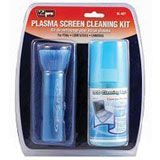 VidPro Plasma and LCD Screen Cleaner boasts a non-toxic, earth-friendly formula to clean any kind of flat panel television screen. It’s available as a stand-alone spray, or in a kit that includes a microfiber cloth and dusting brush. The Vidpro kit can be found on Amazon.
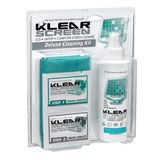 Klear Screen offers a range of products for cleaning LCD, plasma, and high definition televisions. As part of their environmentally safe formula, these products include an anti-static component to help prevent dust build-up.
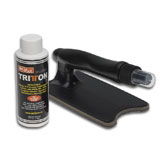 Tritton LCD & Plasma Wizard is a neat little gizmo that features a soft pad attached to a flat surface, which guarantees you won’t wreck your TV by applying uneven pressure to the screen. The handle attached to this tool is actually a spray bottle that you fill with non-toxic, biodegradable screen cleaner for one-step cleaning.