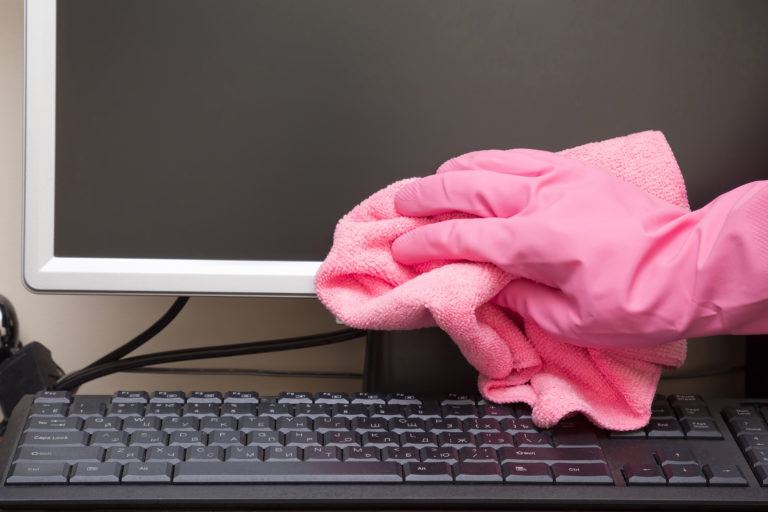
Quick Tips
- Dust the monitor first, using a soft dry cotton cloth.
- The magic bullet for safely removing fingerprints from LCD
- Dampen a small area of your soft cotton cloth in the mixture of water and rubbing alcohol.
- Next, clean the edges of the screen, where dust and grime sometimes collect, with a cotton swab.
- You're almost done, but it's a good idea to pick up your damp cotton cloth and give the computer screen one last gentle rubdown.
- To finish, wipe the screen with a clean dry cloth
You’re familiar with the feeling, right? The feeling of having stared at a computer screen for too long: an aching head and gritty, sagging eyes. Looking at a glowing computer monitor for hours at a time is bad for your eyes in the best of conditions, but it’s worse yet if you’re reading the screen through a layer of fingerprints and dust.
Of course, if you have a flat-screen LCD monitor, you may be afraid to clean it, lest the window-cleaner-and-paper-towel method you always used on your old glass-screened monitor doesn’t do the trick or—worse—does your new LCD monitor harm. That’s a healthy fear. Window cleaner and paper towels are both on the list of things not to use when cleaning an LCD screen, since the ammonia in glass cleaner and the abrasiveness of paper products can leave you with a cloudy or scratched monitor. Good news, though: the method you should be using to safely clean your LCD monitor is almost as easy as buying a new one. And it’s certainly a lot cheaper.
Steps to Cleaning LCD
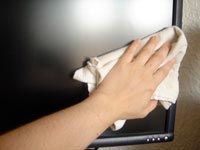 Dust the monitor first, using a soft dry cotton cloth. If your only problem is dust, your cleaning can both begin and end here—and should, since it’s a good general policy to apply moisture to electronics infrequently, and only when necessary. Also, if your monitor is completely fingerprint-free, kudos to you. I can never remember touching my computer screen, but there the smudges are.
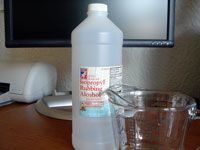 The magic bullet for safely removing fingerprints from LCD is an equal mixture of isopropyl rubbing alcohol and water (plain old tap will do, but distilled is less likely to leave streaks). You won’t need much of this solution to get your monitor completely clean, but make sure you measure accurately, because a solution that’s more than half alcohol may damage the computer screen.
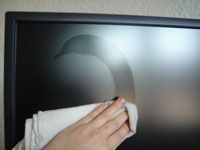 Dampen a small area of your soft cotton cloth in the mixture of water and rubbing alcohol. Be sure to squeeze most of the moisture out of the cloth to prevent dripping, and then wipe the slightly damp section over the entire surface of the LCD monitor, starting with the screen and including the frame and stand. Avoid putting pressure on the screen, as this could damage it.
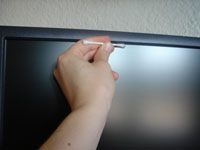 Next, clean the edges of the screen, where dust and grime sometimes collect, with a cotton swab. Dunk an end of the swab in your alcohol-and-water mixture and roll it along the dry upper edge of the container to press excess moisture out of the cotton. Then, still being careful not to press too hard, run the damp cotton swab along all four edges of the LCD screen.
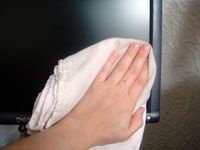 You’re almost done, but it’s a good idea to pick up your damp cotton cloth and give the computer screen one last gentle rubdown. This will pick up dirt that may have been moved around but ultimately left behind by the cotton swab.
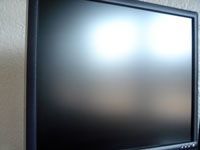 To finish, wipe the screen with a clean dry cloth to wipe away any of the rubbing alcohol solution that hasn’t already evaporated (there shouldn’t be much). This will also give you a chance to gently buff away streaks that may have been left by the minerals in tap water, if you used it instead of distilled. And now that you have a clean monitor, you’re out of excuses; get back to work.
Benefits of LCD Monitors
You already know LCD computer monitors look cool, but did you know using one is better for both your health and the environment? It’s true. Old-school CRT (cathode ray tube) computer monitors work by beaming electrons at the screen, some of which escape as low-level radiation and hit whatever’s in their path—including you, sitting there innocently clicking away. LCD (liquid crystal diode) screens, on the other hand, work by filtering a fluorescent backlight—pretty minimal radiation there. CRT screens also tend to flicker, and that’s bad for your eyes, even if it happens so fast you don’t consciously register it. Since the backlight in an LCD screen is constant, you experience less flickering (in addition to reduced glare from the screen and better contrast for easier viewing), and therefore less eyestrain. Finally, LCD monitors offer a big bonus to the socially liberal and fiscally conservative alike: they run on a lot less power than CRT monitors, which is better for the environment and your electric bill.
Natural LCD Cleaners
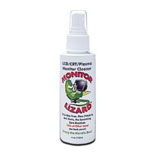 Monitor Lizard Computer Screen Cleaner does more than just clean an LCD screen; it also forms a protective anti-static layer that repels dust and fingerprints. And it does it all with a non-toxic, biodegradable, environmentally safe formula.
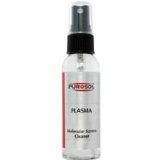 Purosol Plasma Cleaner is another people-friendly, environment-friendly option for cleaning LCD monitors. As the name suggests, it’s also safe to use on a plasma screen TV, if you have one. You can order a bottle of Purosol from Amazon.
 The Photodon Screen and Display Microfiber Cloth will pick up dust and oily fingerprints without the use of a liquid LCD monitor cleaner. Best of all, it’s washable, so you can dirty it up, wash it, and stick it back in your desk drawer for future use. That makes it extra environmentally friendly.